Interval Training for Beginners: How to Start HIIT the Right Way
Interval training alternates short bursts of high-intensity work with recovery periods; beginners should start with a 1:2 or 1:3 work-rest ratio (20s work / 40–60s rest) two to three times per week. New to it? This guide covers everything from work-rest ratios to your first workout — no experience required.
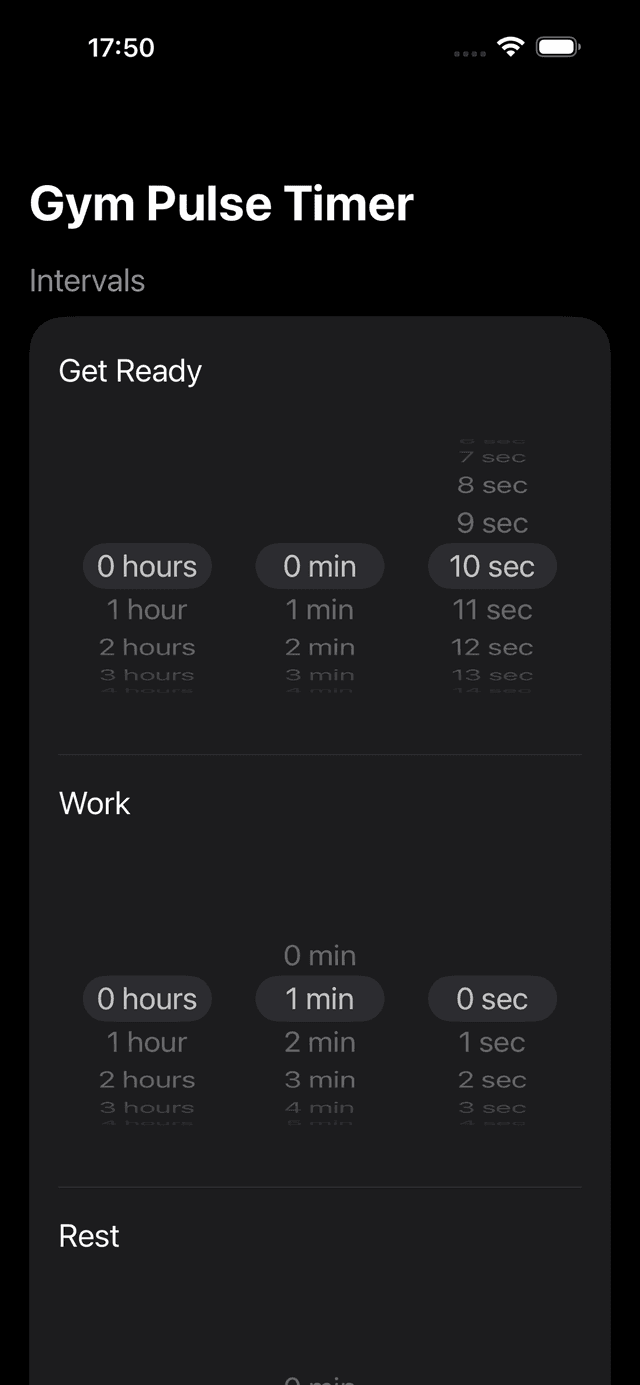
Configuring a beginner preset in GymPulseTimer — 20s work, 40s rest, 6 rounds.
What Is Interval Training?
Interval training alternates between periods of high-intensity exercise and lower-intensity recovery (or complete rest). Unlike steady-state cardio where you maintain one pace for 30–60 minutes, intervals push you hard for short bursts and then let you recover before the next effort.
HIIT (High-Intensity Interval Training) is the most popular form. Research consistently shows that HIIT improves cardiovascular fitness, burns more fat per minute than steady-state cardio, and takes a fraction of the time.
Understanding Work-Rest Ratios
The work-rest ratio determines how hard your workout will be. As a beginner, start with more rest than work, then progress as your fitness improves.
| Level | Ratio | Example |
|---|---|---|
| Beginner | 1:3 or 1:2 | 20s work / 60s rest |
| Intermediate | 1:1 | 30s work / 30s rest |
| Advanced | 2:1 or 3:1 | 40s work / 20s rest |
| Tabata | 2:1 | 20s work / 10s rest |
Start with a 1:2 ratio. Once you can complete all rounds without needing extra rest, progress to 1:1.
Your First HIIT Workout (Week 1)
Beginner HIIT: The Starter
Warm-up: 5 minutes light jogging or jumping jacks
Work: 20 seconds
Rest: 40 seconds
Rounds: 6
Total: 6 minutes (plus warm-up)
Exercises (alternate each round):
- Bodyweight squats (rounds 1, 3, 5)
- Modified push-ups (rounds 2, 4, 6)
4-Week Beginner Progression
| Week | Work | Rest | Rounds | Sessions |
|---|---|---|---|---|
| 1 | 20s | 40s | 6 | 2–3/week |
| 2 | 25s | 35s | 8 | 3/week |
| 3 | 30s | 30s | 8 | 3/week |
| 4 | 30s | 30s | 10 | 3–4/week |
Save each week's configuration as a preset in your timer app. That way you can switch between difficulty levels without reconfiguring every time.
Best Exercises for Beginners
Choose exercises you can perform safely at high intensity. Avoid complex movements that break down under fatigue.
Lower Body
- Bodyweight squats
- Alternating lunges
- Jumping jacks
- High knees (in place)
Upper Body
- Push-ups (or modified)
- Plank shoulder taps
- Tricep dips (on a chair)
- Mountain climbers
Common Mistakes to Avoid
- Starting too hard. Begin with a 1:2 work-rest ratio and fewer rounds. You can always add more intensity later.
- Skipping rest days. HIIT is demanding on your nervous system. Take at least one day off between sessions, especially in the first two weeks.
- Ignoring form. Speed means nothing if your form breaks down. Better to do fewer reps with good technique than more reps with bad form.
- No warm-up or cool-down. Always warm up for 5 minutes before and stretch for 5 minutes after.
Using a Timer App for Interval Training
Trying to watch a clock while doing burpees doesn't work. A good interval timer app handles the timing so you can focus entirely on the exercise. If you want a full comparison, see our roundup of the best free interval timer apps with no subscription. Here's what to look for:
- Configurable intervals — set exact work and rest durations, not just preset options
- Audio cues — distinct sounds for “go” and “rest” so you never need to look at the screen
- Preset saving — save each week's configuration and switch as you progress
- Lock Screen visibility — on iPhone, Live Activities let you see your timer without unlocking
GymPulseTimer was designed for exactly this. Create your beginner preset (20s work, 40s rest, 6 rounds), save it, and start with one tap. As you progress, create new presets for each level. The Live Activity keeps your timer visible on the Lock Screen throughout your workout.
GymPulseTimer is free on both iPhone and Android, and it includes a companion Apple Watch app that runs independently once your presets have synced from iPhone. The optional Pro upgrade is a one-time $4.99 purchase — no subscription, no ads, no account.
Start Your First HIIT Workout
Download GymPulseTimer on iPhone or Android and create your beginner preset in under a minute.
Frequently asked questions
What is interval training?
Interval training alternates between periods of high-intensity exercise and lower-intensity recovery or complete rest. Unlike steady-state cardio where you maintain one pace for 30 to 60 minutes, intervals push you hard for short bursts and then let you recover before the next effort.
What is a good work-rest ratio for beginners?
Beginners should start with a 1:3 or 1:2 work-rest ratio, for example 20 seconds of work followed by 40 to 60 seconds of rest. Once you can complete all rounds without needing extra rest, you can progress to a 1:1 ratio such as 30 seconds of work and 30 seconds of rest.
How often should I do HIIT per week as a beginner?
Start with 2 to 3 HIIT sessions per week and take at least one day off between sessions. HIIT is demanding on your nervous system, so rest days are especially important in the first two weeks.
What exercises are best for a beginner HIIT workout?
Choose simple movements you can perform safely at high intensity, like bodyweight squats, alternating lunges, jumping jacks, and high knees for the lower body, and push-ups, plank shoulder taps, tricep dips, and mountain climbers for the upper body. Avoid complex movements that break down under fatigue.
How long should a beginner HIIT workout be?
A week-one beginner HIIT session is about 6 minutes of intervals, using 20 seconds of work and 40 seconds of rest over 6 rounds, plus a 5-minute warm-up and a 5-minute cool-down stretch. That total workload is enough to build fitness while giving your body time to adapt.
Is GymPulseTimer available on Android as well as iPhone?
Yes. GymPulseTimer is a free interval timer app for both iPhone and Android, with a companion Apple Watch app as well. The iPhone version is on the App Store and the Android version is live on Google Play.
How much does GymPulseTimer cost?
GymPulseTimer is free to download and use on iPhone and Android. An optional one-time $4.99 Pro upgrade unlocks unlimited presets, audio cues, and voice coaching — there is no subscription, no ads, and no account required.