The Complete Tabata Timer Guide: 4-Minute Workouts That Work
Tabata is a 4-minute HIIT protocol: 20 seconds of all-out work, 10 seconds of rest, repeated for 8 rounds. Here's the science behind it and the best way to time it.
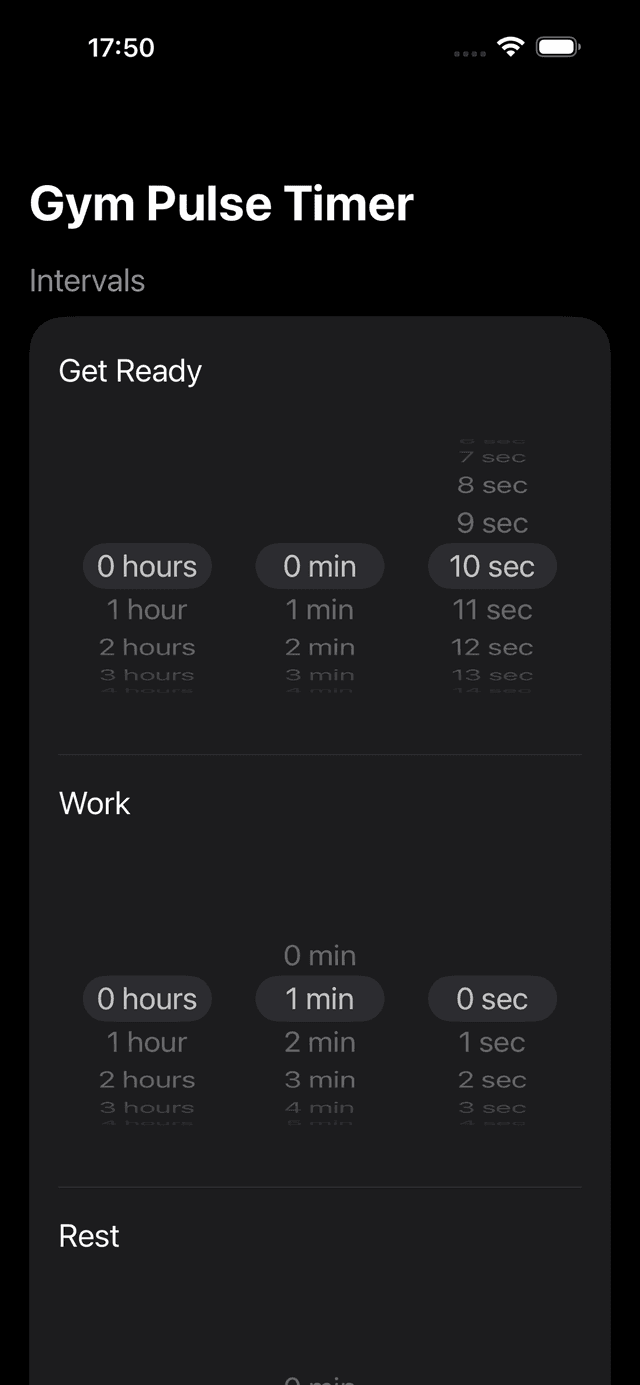
The classic 20s/10s × 8 Tabata configuration in GymPulseTimer, savable as a one-tap preset.
What Is Tabata Training?
Tabata is a specific form of high-intensity interval training (HIIT) created by Japanese researcher Dr. Izumi Tabata in 1996. The protocol is simple: 20 seconds of all-out effort followed by 10 seconds of rest, repeated for 8 rounds. That's 4 minutes total.
Dr. Tabata's original study compared moderate-intensity cardio (60 minutes) with the 4-minute protocol. The result: the Tabata group improved both aerobic and anaerobic capacity, while the moderate group improved only aerobic capacity. Four minutes beat sixty.
The Tabata Protocol
| Parameter | Value |
|---|---|
| Work interval | 20 seconds |
| Rest interval | 10 seconds |
| Rounds | 8 |
| Total time | 4 minutes |
| Intensity | Maximum effort (170% VO2max) |
Benefits of Tabata Training
- Time-efficient — a complete workout in 4 minutes (plus warm-up)
- Burns fat — increases EPOC (excess post-exercise oxygen consumption), meaning you keep burning calories after your workout
- Improves both aerobic and anaerobic fitness — unlike steady-state cardio, which only improves aerobic capacity
- No equipment needed — bodyweight exercises like burpees, mountain climbers, and jump squats work perfectly
- Adaptable — use it with running, cycling, rowing, or any exercise
Sample Tabata Workouts
Beginner: Bodyweight Tabata
20s work / 10s rest × 8 rounds. Alternate between two exercises:
- Rounds 1, 3, 5, 7: Jump squats
- Rounds 2, 4, 6, 8: Push-ups
Intermediate: Cardio Blast
20s work / 10s rest × 8 rounds. Cycle through four exercises:
- Rounds 1, 5: Burpees
- Rounds 2, 6: Mountain climbers
- Rounds 3, 7: High knees
- Rounds 4, 8: Tuck jumps
Advanced: Double Tabata
Two back-to-back Tabata sets (8 minutes total) with 1 minute rest between:
- Set 1: Kettlebell swings (20s on / 10s off × 8)
- Rest 1 minute
- Set 2: Box jumps (20s on / 10s off × 8)
Why You Need a Tabata Timer App
The 20/10 protocol sounds simple, but manually tracking 8 rounds of rapid intervals while exercising at maximum effort is nearly impossible. You need a timer that:
- Counts down work and rest phases automatically
- Announces transitions with audio cues so you can focus on form
- Shows your current round and total progress
- Works from the Lock Screen so you don't need to touch your phone
GymPulseTimer lets you create a Tabata preset in seconds: set work to 20s, rest to 10s, rounds to 8, and save it. Next time, start your Tabata with one tap. The Live Activity shows your timer on the Lock Screen and Dynamic Island throughout on iPhone; on Android, the persistent notification keeps the timer visible. As the best free interval timer app with no subscription, it gives you these features without any recurring fees.
EMOM on a Tabata timer: settings that work
A Tabata timer is really just an interval timer with a famous default, which means the same preset engine handles EMOM (Every Minute on the Minute) without any extra features. In an EMOM you start a prescribed exercise at the top of each minute and rest for whatever remains of it — the clock, not your willpower, decides when you go again. Two configurations cover almost every session:
- Pure EMOM — set work to 60 seconds, rest to 0, and rounds to 10–20. The transition cue at the top of each minute is your start signal, and however fast you finish the reps, the remainder of the minute is rest.
- Split EMOM — if you want an explicit rest warning, split the minute instead: 30/30 for beginners, 40/20 intermediate, 50/10 advanced. The rest cue tells you exactly how much recovery you have left before the next minute begins.
The practical difference from Tabata is intensity management: Tabata demands maximum effort for 4 minutes, while EMOM paces a controlled effort across 10–20 minutes. Keeping both saved as separate presets means the choice takes one tap, not a reconfiguration. For rep schemes, scaling rules, and full beginner-to-advanced sessions, see our dedicated EMOM timer guide.
Boxing rounds: 3-minute work / 1-minute rest
The same swap works in the other direction, toward longer intervals. Professional boxing has used 3-minute rounds with a 1-minute rest since the Marquess of Queensberry Rules, and that format maps directly onto a Tabata timer's fields: work 3:00, rest 1:00, rounds 6–12 depending on the session. Use the get-ready phase as your 10-second warning before the bell — the same role the clap or clacker plays in a boxing gym.
- Boxing standard — 3:00 work / 1:00 rest × 6–12 rounds for heavy bag and pad work.
- Muay Thai — keep the 3-minute round but extend the rest to 2 minutes, the sport's notable exception.
- MMA — 5:00 work / 1:00 rest × 3–5 rounds, which forces a completely different pacing strategy than boxing.
Because the phases are minutes rather than seconds, audio cues matter even more here — three minutes is a long time to glance at a clock mid-combination. Round settings for shadow boxing, sparring, and conditioning variants are covered in depth in our boxing round timer training guide.
Common Tabata Mistakes
- Not going hard enough. Tabata only works at maximum effort. If you can talk during the work phase, you're not going hard enough.
- Skipping the warm-up. Always warm up for 5–10 minutes before Tabata. Cold muscles plus max effort equals injury.
- Doing it daily. True Tabata is extremely demanding. Two to three sessions per week is plenty. Mix with lower-intensity training on other days.
- Using complex movements. Choose exercises you can do with good form while exhausted. Simple moves like sprints, squats, and push-ups are better than Olympic lifts.
Start Your Tabata Timer
Create a 20/10 Tabata preset in GymPulseTimer and start training in seconds.