AMRAP Workouts Explained: Timer Setup, Sample WODs & Pacing Strategy
AMRAP is one of the most versatile workout formats in functional fitness. Here's how it works, how to time it, and six ready-to-go WODs for every level.
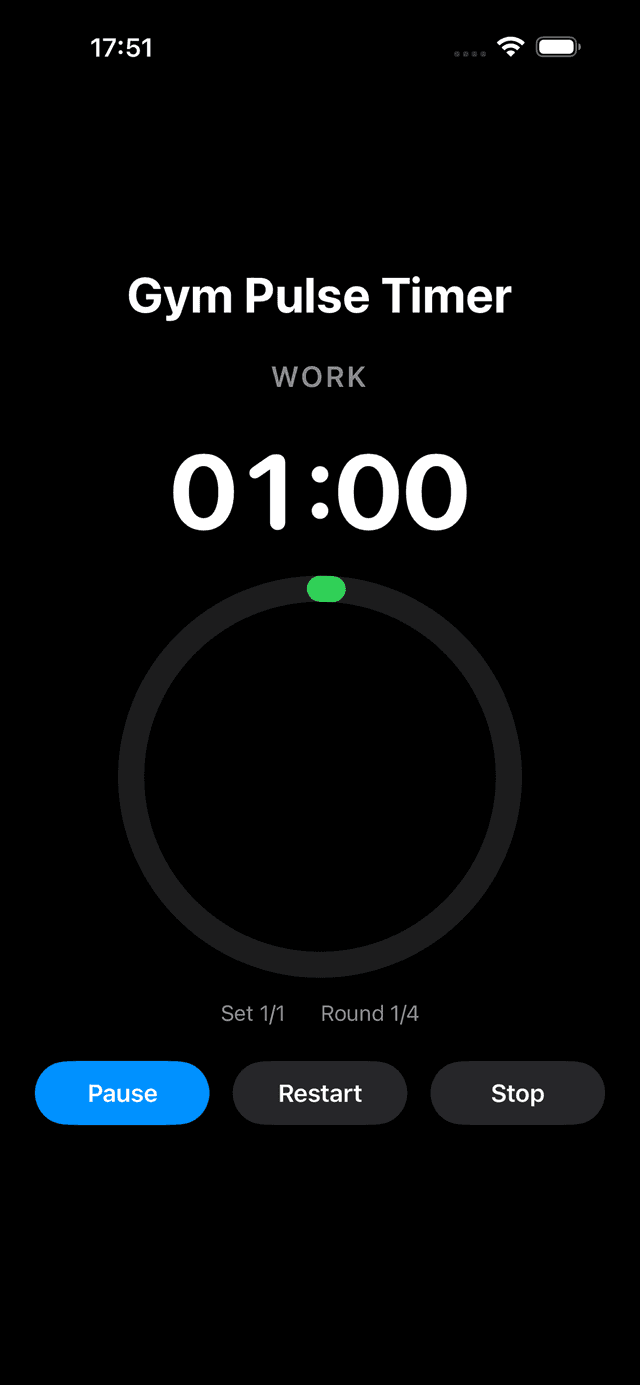
AMRAP block in flight — the timer counts down a single long work window while you cycle the WOD as many rounds as possible.
What Is AMRAP?
AMRAP stands for “As Many Rounds As Possible.” The concept is straightforward: you pick a list of exercises with set rep counts, start a countdown timer, and cycle through as many complete rounds as you can before the clock hits zero. Your score is the total number of rounds (plus any extra reps into an incomplete round).
The format was popularized by CrossFit in the early 2000s as a way to standardize conditioning workouts. Classic CrossFit benchmark WODs like “Cindy” (20-minute AMRAP of 5 pull-ups, 10 push-ups, 15 air squats) turned AMRAP into a household term in the fitness world. Since then, AMRAP has spread well beyond CrossFit boxes. Hyrox competitors use it to build race-day endurance. Functional fitness classes program it weekly. Personal trainers rely on it because it scales naturally — beginners and advanced athletes can do the same workout, and each is challenged at their own capacity.
What makes AMRAP so effective is the built-in self-regulation. You aren't chasing a prescribed pace or trying to finish within a specific time. Instead, the time cap stays fixed and you push your own intensity. That makes it perfect for group settings where everyone has a different fitness level, and it gives you a clear, repeatable score to track progress over weeks and months.
AMRAP vs. EMOM vs. For Time: Choosing the Right WOD Format
Functional fitness programming relies on a handful of workout formats. Each one manipulates time and volume differently, which changes the training stimulus. Here's how the three most common formats compare:
| Format | How It Works | Best For |
|---|---|---|
| AMRAP | Set a time cap. Do as many rounds of prescribed exercises as possible. | Endurance, pacing practice, trackable progress |
| EMOM | Every minute on the minute, complete a set number of reps. Rest the remainder of the minute. | Skill work, consistent pacing, building volume |
| For Time | Prescribed work is set. Race to finish it as fast as possible. | Max intensity, competition, benchmark testing |
Choose AMRAP when you want a workout that keeps you moving for a fixed duration with a measurable score. Choose EMOM when you need built-in rest and want to focus on movement quality at submaximal effort. Choose For Time when you want an all-out sprint with a clear finish line.
Many coaches program all three across a training week: an AMRAP on Monday for aerobic capacity, an EMOM on Wednesday for skill and strength, and a For Time workout on Friday for peak intensity. The variety keeps training fresh and develops different energy systems.
How to Set Up an AMRAP Timer on Your Phone
Unlike Tabata or EMOM workouts that need repeating intervals, an AMRAP timer is essentially a single countdown. But a good timer app adds features that make AMRAP sessions significantly better than just using your phone's stock Clock app.
Here's how to set up an AMRAP timer in GymPulseTimer:
- Set the total workout time. Configure your time cap as a single countdown — 8, 10, 12, 15, or 20 minutes depending on the WOD.
- Enable audio cues. Turn on voice coaching for the halfway mark and a final-minute warning. Knowing “5 minutes remaining” in a 10-minute AMRAP helps you decide whether to push the pace or stay steady.
- Set a get-ready countdown. Add a 10-second countdown before the timer starts so you can get into position and take a breath.
- Save it as a preset. Save your most-used AMRAP time caps (10 min, 12 min, 15 min, 20 min) so you can launch any of them with a single tap next session.
Once the timer is running, GymPulseTimer's Live Activity shows the countdown right on your Lock Screen and Dynamic Island. No need to unlock your phone or keep the app open — just glance at your wrist or Lock Screen mid-workout to see how much time you have left.
6 AMRAP Workouts for Every Level
Below are six AMRAP workouts ranging from beginner bodyweight to advanced barbell and partner formats. Pick one, set your timer, and go.
Beginner Bodyweight AMRAP (10 min)
No equipment needed. Great for your first AMRAP or as a hotel room workout.
- 10 air squats
- 5 push-ups
- 10 sit-ups
Target: 8–12 rounds. If you hit 12+, increase reps or add a movement.
Intermediate Dumbbell AMRAP (12 min)
Grab a pair of moderate dumbbells and a box or bench.
- 10 dumbbell thrusters
- 10 dumbbell rows (each arm)
- 15 box step-ups
Target: 5–8 rounds. The thrusters will spike your heart rate; use the rows to recover.
Advanced Barbell AMRAP (15 min)
Use a moderate load (60–70% of your 1RM clean). This one tests grip, legs, and lungs.
- 5 power cleans
- 10 front squats
- 15 pull-ups
Target: 4–6 rounds. Break pull-ups into sets early rather than going unbroken and failing at round 3.
Cardio AMRAP (8 min)
Short and brutal. Perfect as a conditioning finisher after strength work.
- 200m run
- 10 burpees
Target: 4–6 rounds. Pace the runs at 80% so you can hit the burpees without stopping.
Kettlebell AMRAP (12 min)
One kettlebell, full-body work. Use a weight you can swing for 15 unbroken reps when fresh.
- 15 kettlebell swings
- 10 goblet squats
- 5 Turkish get-ups (alternating)
Target: 3–5 rounds. The Turkish get-ups are your built-in recovery — slow is fine.
Partner AMRAP (20 min)
You go, I go. One partner works while the other rests. Alternate full rounds.
- 15 wall balls
- 10 box jumps
- 5 bar-facing burpees
Target: 14–18 combined rounds. Your rest is your partner's work, so push hard knowing recovery is built in.
Pacing Strategy: How to Avoid Blowing Up in the First 3 Minutes
The most common AMRAP mistake is sprinting out of the gate, hitting a wall at round 3, and spending the rest of the clock gasping through half-reps. AMRAP rewards consistency, not heroics. Here is how to pace yourself for a better score and a better workout.
- Start at 70–80% effort. Your first round should feel almost too easy. That is intentional. If a 10-minute AMRAP has 10 rounds in you, your first round should be at a pace you could sustain for 12 rounds. You'll pick up speed naturally as you settle in.
- Track your round times. Glance at your timer after each round. If round 1 takes 55 seconds, rounds 2 through 8 should land between 55 and 65 seconds. A round that takes 80 seconds means you went too hard earlier and are now paying for it.
- Don't sprint the first round. It feels counterintuitive, but a controlled start gives you a higher total score than a fast start with a crash. Research on pacing in repeated high-intensity efforts consistently shows that even pacing or slight negative splits (getting faster) outperform aggressive positive splits (starting fast, slowing down).
- Use audio cues to check in. Set your timer to announce the halfway point and the final minute. When you hear “halfway,” do a quick gut check: Are you on pace? Could you push slightly harder? When you hear “one minute left,” that is your signal to empty the tank.
- Plan your transitions. AMRAP rounds often include transitions between equipment or positions. Seconds lost fumbling with a barbell or walking to the pull-up bar add up over 10+ rounds. Set up your station tight and know exactly where you are going next before you finish your current movement.
The goal is negative splits: your last two rounds should be your fastest. If you have anything left when the buzzer sounds, you paced too conservatively — and that is data for next time. Write down your score, your round times, and how you felt. Over weeks, you will see your round count climb as your pacing improves.
Why GymPulseTimer Is the Best AMRAP Timer for iPhone and Android
Most CrossFit and WOD timer apps are subscription-based and packed with features you don't need. GymPulseTimer takes a different approach: it is free to download, with a single $4.99 one-time Pro upgrade — no recurring fees, which is why it ranks among the best free AMRAP interval timer app choices for athletes who refuse to pay monthly. It is also available on Google Play for Android, with the same free tier and the same $4.99 one-time Pro upgrade.
- Countdown timer — set your AMRAP time cap and go. No complicated programming.
- Voice coaching — audio cues at halfway, one minute remaining, and time's up so you can focus on the workout.
- Presets — save your favorite AMRAP durations (8, 10, 12, 15, 20 minutes) and start any of them with one tap.
- Live Activities & Dynamic Island — see your countdown on the Lock Screen without unlocking your phone.
- No subscription — one-time purchase. No ads. No account required.
Start Your AMRAP Timer
Set your time cap, save it as a preset, and crush your next AMRAP with GymPulseTimer.