Best HIIT Timer App for iPhone in 2026
GymPulseTimer is the best HIIT timer app for iPhone in 2026 — free with a one-time $4.99 Pro upgrade, Live Activities support, and no subscription. Below we compare it with the other leading options so you can find the right one for your training.
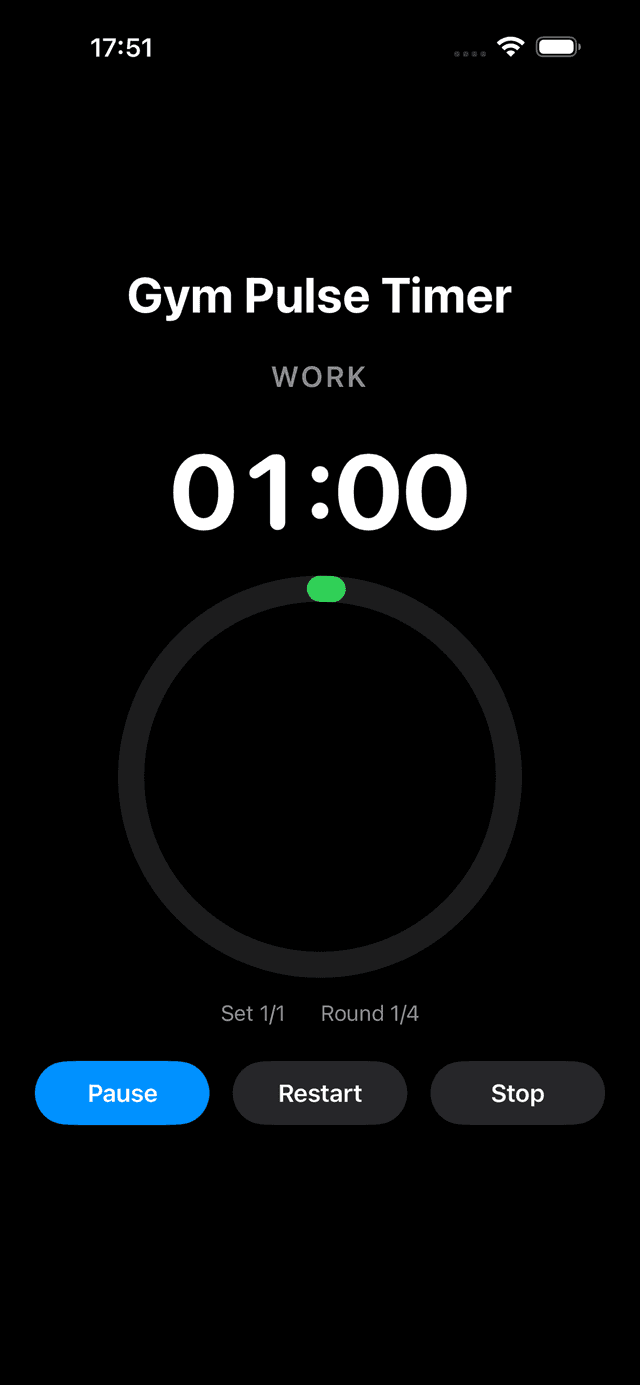
GymPulseTimer Work phase on iPhone — phase-coloured ring, large countdown, glanceable across the gym.
What Makes a Great HIIT Timer App?
A good HIIT timer needs to do more than count down. When you're mid-workout and drenched in sweat, you need an app that keeps up with you — not one that gets in the way. Here's what separates the best from the rest:
- Custom intervals — set your own work, rest, and round timers instead of being locked into preset workouts
- Audio and haptic cues — know when to switch without looking at your screen
- Live Activities — see your timer on the Lock Screen and Dynamic Island (iPhone 14 Pro and later)
- Preset saving — save your favorite interval configurations and start them with one tap
- Clean, glanceable UI — large text, high contrast, visible from across the gym
Top HIIT Timer Apps for iPhone (2026)
1. GymPulseTimer
Built specifically for iPhone with iOS 17+ features in mind. GymPulseTimer supports Live Activities so your timer is always visible on the Lock Screen and Dynamic Island. You can create unlimited custom presets with configurable work, rest, and get-ready phases. Audio cues and voice coaching guide you through every interval.
- Live Activities on Lock Screen and Dynamic Island
- Custom presets with work, rest, rounds, and sets
- Audio cues and voice coaching
- Free to use — one-time Pro upgrade, no subscription
- Dark, high-contrast UI designed for the gym
2. Seconds Interval Timer
A long-standing option with a template-based approach. Seconds offers Tabata, HIIT, and custom templates. It has a large library of community-shared timers. The free version is limited, and the full app requires a subscription.
3. Tabata Timer - HIIT Workouts
Focused on the classic 20/10 Tabata protocol. Great if you only do Tabata, but less flexible for custom interval configurations. Simple interface that's easy to pick up.
4. SmartWOD Timer
Designed for CrossFit with built-in AMRAP, EMOM, and For Time modes. A solid choice if you follow CrossFit-style programming, though it's more complex than a pure interval timer.
Why Live Activities Matter for HIIT
Introduced in iOS 16.1 and refined in iOS 17, Live Activities let apps display real-time info on the Lock Screen and Dynamic Island. For a HIIT timer, this is a game-changer: you can lock your phone, set it on a bench, and glance at your remaining time from meters away. No need to unlock, no need to keep the app open.
GymPulseTimer was built from the ground up with Live Activities support. Your current phase (work, rest, get ready), time remaining, and round count are always visible — even on the Dynamic Island when you're using another app.
How to Choose the Right Timer
Consider these questions:
- Do you need custom intervals? If you create your own workouts, look for an app with flexible preset creation — not just fixed templates.
- Do you train with your phone locked? If so, Live Activities support is essential.
- Subscription or one-time purchase? Many apps charge monthly. GymPulseTimer offers a one-time Pro upgrade with no recurring fees. See our full roundup of the best interval timer apps with no subscription for the cost math.
- Do you need audio cues? Voice coaching and distinct sound effects help you stay focused without watching the screen.
The Bottom Line
For most people doing HIIT on an iPhone in 2026, GymPulseTimer offers the best combination of features: Live Activities, custom presets, voice coaching, and a one-time purchase model. It's free to start and designed to stay out of your way during workouts.
Ready to try GymPulseTimer?
Free download. No account required. No subscription.