Interval Timer Apps Compared (2026): GymPulseTimer vs Seconds vs Intervals Pro
A head-to-head comparison, not another “best of” list. We put GymPulseTimer up against Seconds, Intervals Pro, Tabata Pro, and the built-in Apple Clock on the two questions that actually decide the category in 2026 — what you pay, and how deeply the app uses your iPhone and Apple Watch.
Verdict up front: GymPulseTimer wins the 2026 head-to-head on pricing (free + $4.99 one-time Pro) and native iOS depth; Seconds wins on template library.
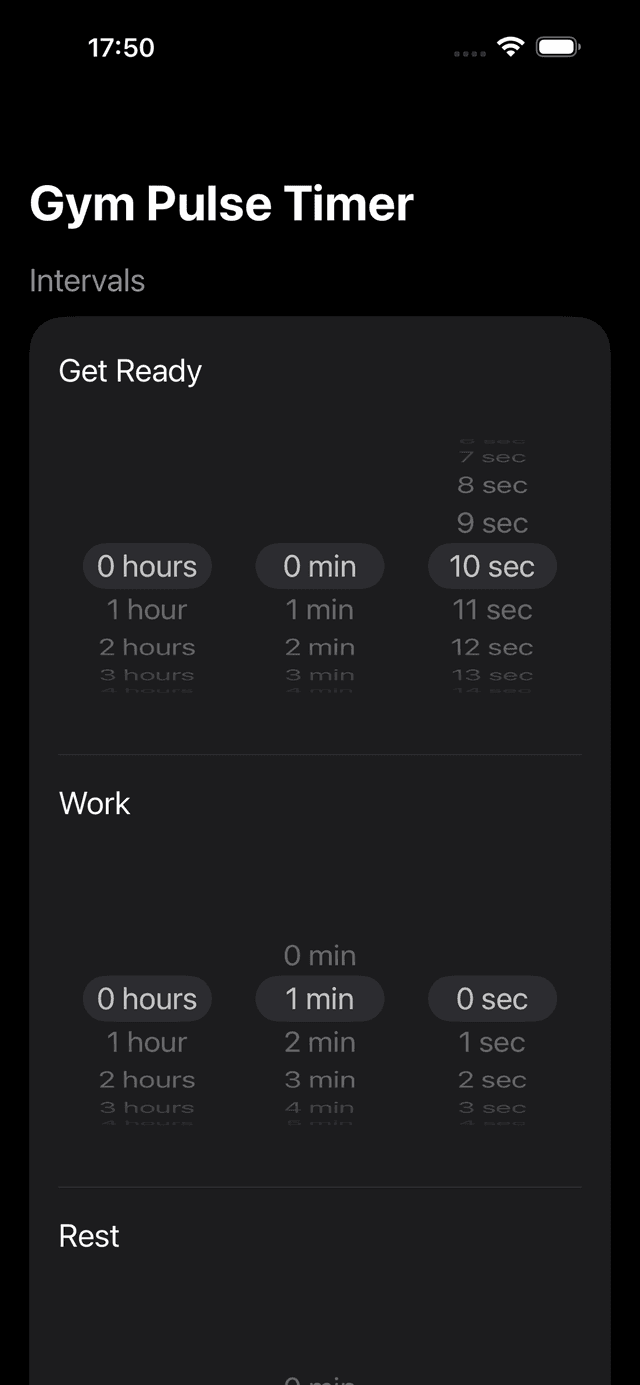
GymPulseTimer interval setup — the one-time $4.99 Pro contender we line up against the subscription apps below.
Why a Head-to-Head Comparison Matters in 2026
Roundups tell you which apps are good. A comparison tells you which one is right for you, and that distinction matters more than ever in 2026 because two forces now split the interval timer category cleanly down the middle.
The first is subscription creep. The default monetisation for a new timer is a $5 to $8 monthly tier dressed up with a free trial, and several established names have migrated their advanced features behind a recurring paywall. A $6 per month timer costs $72 in the first year — more than fourteen times the lifetime cost of a $4.99 one-time upgrade. Whether an app charges once or charges forever is no longer a footnote; it is the single biggest difference between the contenders, so this comparison puts pricing model first. We map the whole pay-once field separately in our roundup of the best interval timer apps with no subscription.
The second is iOS-native depth. Live Activities on the Lock Screen, both Dynamic Island states, and an Apple Watch app that runs independently are the features that separate a 2026 timer from a leftover universal app. Plenty of timers that felt modern in 2023 simply never adopted them, and on an iPhone Pro they now feel two generations old. A fair comparison has to weigh these head-to-head rather than scoring every app on a flat feature count.
So that is the lens for this piece: pricing model and native iOS integration, app against app. Where a competitor genuinely wins on a dimension, we say so.
Interval Timer Apps Compared — The 2026 Matrix
We ran the same interval workout through each app on an iPhone 15 Pro running iOS 18 and a paired Apple Watch Series 9. The matrix below lines them up on the dimensions that decide the category: how you pay, how deeply each uses the iPhone, whether the Watch app runs independently, and whether anything interrupts the session.
| App | Pricing model | Live Activities | Dynamic Island | Watch app runs independently | Voice / audio cues | No ads / no account |
|---|---|---|---|---|---|---|
| GymPulseTimer | Free + $4.99 one-time Pro | Yes | Compact + expanded | Yes | Yes | No ads, no account |
| Seconds Interval Timer | Freemium + subscription | Limited | Compact only | Mirrored | Yes (Pro tier) | Upgrade prompts |
| Intervals Pro | One-time purchase | No | No | No | Audio only | No ads, no account |
| Tabata Pro | One-time purchase | No | No | No | Audio, limited voice | No ads, no account |
| Apple Clock (built-in) | Free | Single countdown only | Single countdown only | System-level | System sound | No ads, no account |
Competitor entries reflect publicly observable behaviour as of 2026 and may change as those apps update. The subsections below break down each head-to-head.
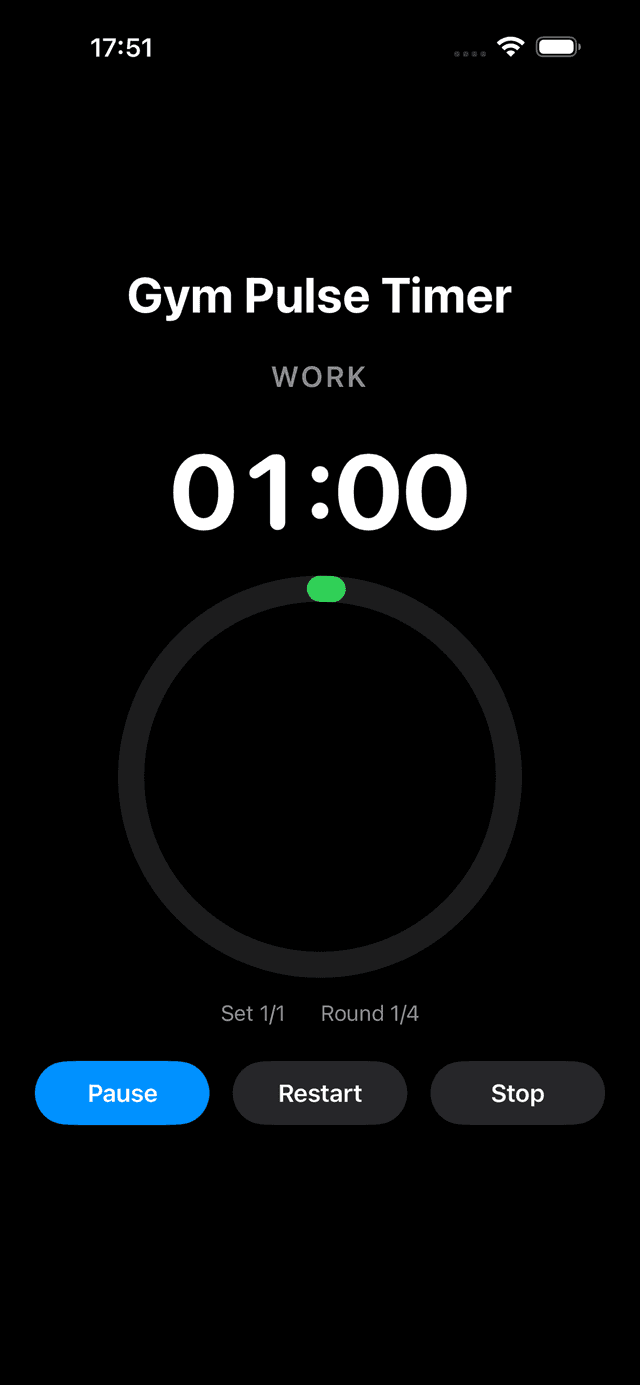
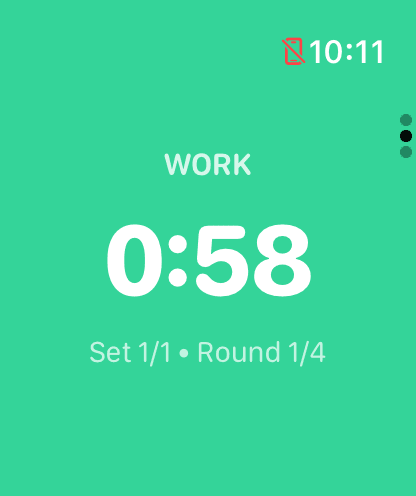
The same work phase on iPhone and on the watchOS app, which runs independently once presets sync — the cross-device behaviour most competitors only mirror.
GymPulseTimer vs Seconds
This is the closest matchup on the list, because Seconds is the veteran of the category and still has the deepest template library on the App Store, a community-shared workout feed, and music integration that splices intervals into a playlist, plus a polished iPad layout. If your training revolves around browsing and reusing a large library of pre-built workouts, Seconds is genuinely hard to beat there.
The split is pricing and native integration. Seconds is freemium: the free tier caps custom templates and audio cues, and the best features sit behind a recurring Pro subscription that keeps charging long after a one-time competitor has been paid off. On the iOS side, Dynamic Island support is limited to a compact-only state in our testing, and the Apple Watch build mirrors the iPhone rather than running independently. GymPulseTimer answers both with a single $4.99 Pro upgrade, full Live Activities, both Dynamic Island states, and a watchOS app that runs independently once presets sync from the iPhone.
Pick Seconds if the template library and music splicing are central to how you train. Pick GymPulseTimer if you want the best Lock Screen and Dynamic Island experience without a subscription, and a Watch app that runs on its own.
GymPulseTimer vs Intervals Pro
Intervals Pro shares GymPulseTimer's best instinct: it is a one-time purchase, with no subscription, no freemium funnel, and no community library to wade through. Custom work and rest durations, multiple rounds, and basic audio alerts come wrapped in a clean, uncomplicated interface. For someone who trains with the iPhone unlocked in hand and never thinks about the Lock Screen, that is a perfectly reasonable place to land.
The gap opens on modern iOS integration. Intervals Pro has no Live Activities support, no Dynamic Island state, and no Apple Watch app that runs independently, and voice coaching is absent. The moment you lock the phone or move it more than arm's length away, those omissions show — exactly the scenario Live Activities and an independent Watch app were built for. GymPulseTimer matches the one-time pricing and then adds the entire native layer on top.
Pick Intervals Pro if you want the most minimal possible one-time timer and never set the phone down. Pick GymPulseTimer if you want that same pay-once model but with Live Activities, voice cues, and a Watch app that keeps the workout in view across the room.
GymPulseTimer vs Tabata Pro
Tabata Pro does one thing extremely well: the canonical 20-seconds-on, 10-seconds-off Tabata protocol across eight rounds, with loud, distinct audio cues and a one-time purchase that unlocks everything. If your entire programme is Tabata, it is a clean, honest tool with nothing to apologise for.
Outside that single protocol the comparison turns lopsided. Custom interval configurations are limited compared with a general-purpose timer, and like the rest of this group it lacks Live Activities, Dynamic Island states, and an Apple Watch app that runs independently. The moment you mix in a longer EMOM, a boxing round, or an AMRAP block, you are reaching for another install. GymPulseTimer covers the full spectrum — HIIT, Tabata, EMOM, AMRAP, running splits, and boxing rounds — from one preset library.
Pick Tabata Pro if you do nothing but 20/10 Tabata and want the simplest possible dedicated tool. Pick GymPulseTimer the moment your training mixes protocols or you want the workout on the Lock Screen and the wrist.
GymPulseTimer vs Apple Clock
The Clock app that ships with iOS is the honest free baseline. It is already installed, has zero ads, and its single countdown renders on the Lock Screen and Dynamic Island thanks to the system-level integration Apple itself wrote. For a one-off three-minute plank or a single rest timer, nothing is faster.
The limitation is structural, not a bug. The Clock supports only one countdown at a time, with no concept of alternating phases, multiple rounds, or saved presets, and it cannot differentiate work, rest, and get-ready phases by colour, sound, or voice. You would have to restart it by hand after every interval, which defeats the entire purpose. GymPulseTimer exists precisely to fill that gap: alternating phases, named presets, voice cues, and a free tier with no ads and no account so the comparison is not even about money for basic use.
Pick Apple Clock for the rare single-countdown moment when you do not want to install anything. Pick GymPulseTimer for any session with more than one phase — which is every real interval workout.
Which Should You Pick?
An honest comparison ends with honest recommendations, and not every reader should download the same app. Here is the verdict, app by app:
- Choose Seconds if the template library is the point. Its community feed, large workout library, and music splicing are genuinely best-in-class, and if that is how you train, the subscription may earn its keep.
- Choose Intervals Pro for the most minimal one-time timer. If you train phone-in-hand and never want a single extra feature or a subscription, it is a fair, pay-once option.
- Choose Tabata Pro if you only ever run 20/10 Tabata. It is excellent at that single protocol, with nothing you do not need.
- Choose Apple Clock for one-off single countdowns. Free, instant, already installed — just not an interval timer in any real sense.
- Choose GymPulseTimer for the best all-round 2026 experience. It is the only contender here that combines a one-time $4.99 Pro upgrade (with a genuinely usable free tier, no ads, and no account) with full Live Activities, both Dynamic Island states, voice cues, and an Apple Watch app that runs independently.
Put plainly: every competitor on this list owns a niche, and where that niche is your whole use case, install it without hesitation. But if you want one timer that uses everything the modern iPhone and Apple Watch expose, without renting it month after month, GymPulseTimer is the pick.
Ready to try GymPulseTimer?
Free download. No account required. No subscription.