Best Interval Timer App for iPhone in 2026 (Live Activities & Dynamic Island Tested)
In 2026, the best interval timer app for iPhone is the one that actually uses the iPhone — Live Activities on the Lock Screen, both Dynamic Island states, and a standalone Apple Watch companion. Anything that skips those is already obsolete on modern hardware.
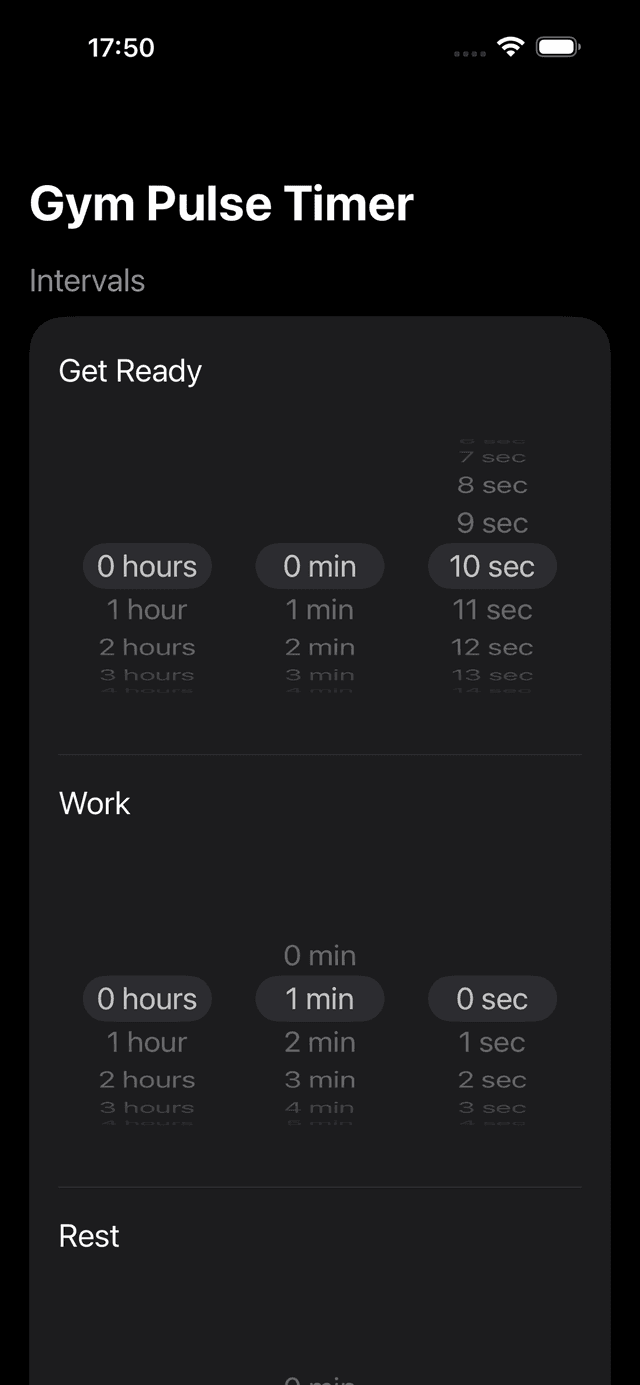
GymPulseTimer interval setup on iPhone — Live Activities and Dynamic Island stay live on the Lock Screen mid-workout.
What Changed for iPhone Interval Timers in 2026
Three iOS-only features now separate a credible iPhone interval timer from a leftover universal app, and any 2026 shortlist that ignores them is wasting your time. The first is Live Activities on the Lock Screen, introduced in iOS 16.1 and refined every release since. A timer with Live Activities support lets you lock the phone, drop it on a bench, and read your current phase, time remaining, and round count from across the rack — no unlock, no app switching, no glance penalty between sets.
The second is the Dynamic Island on iPhone 14 Pro, iPhone 15, and iPhone 16. A modern interval timer renders a compact state in the cutout when you switch apps and an expanded state when you long-press, both showing live countdown values. If your messaging app, Spotify, or training notes are open, the workout phase still sits at the top of the screen. Apps that skipped this work in 2023 and 2024 now feel two generations old on any iPhone Pro device.
The third is a standalone watchOS app paired with the iPhone build. Mirrored Watch apps that need an unlocked iPhone in Bluetooth range are over; modern timers run independently on the Watch, write a workout session into HealthKit, and keep haptics in sync with the iPhone Live Activity if you carry both. Apps that only mirror their iPhone UI fall short the moment you take your phone off the bench.
The best interval timer app for iPhone in 2026 ships all three. The rest of this guide tests six contenders against that bar.
What to Look For in an iPhone Interval Timer in 2026
Beyond the three iOS-only features above, an interval timer that earns the home-screen slot in 2026 also needs the workout fundamentals right. Treat this as a checklist when you compare the best interval timer apps for iPhone in 2026:
- Live Activities on the Lock Screen — the timer should remain readable from across the gym without unlocking the iPhone
- Dynamic Island compact and expanded — both pill states should render the current phase, the countdown, and the round number on iPhone 14 Pro and later
- Custom intervals — freely configurable work, rest, get-ready, rounds, and sets, not a handful of fixed Tabata-only templates
- Audio cues and voice coaching — distinct sounds for each phase plus optional spoken announcements so you never have to look at the screen mid-burpee
- Preset library — save HIIT, Tabata, EMOM, AMRAP, running, and boxing rounds as named presets and launch them with a single tap
- Standalone Apple Watch app — full session control from the wrist without an unlocked iPhone nearby, with HealthKit workout session integration
- No subscription — a one-time price you own forever beats $6 per month for a countdown timer over any realistic ownership window
- No ads, no account — nothing interrupts a workout faster than an interstitial or a forced sign-in
- Dark UI optimised for the gym — high-contrast type that stays legible under fluorescent lights and from across the floor
- Action Button support on iPhone 15 Pro and iPhone 16 Pro — one-press launch into the last preset turns a timer into muscle memory
Comparison Table — 6 iPhone Interval Timers, Side by Side
We tested each app on an iPhone 15 Pro running iOS 18 and a paired Apple Watch Series 9. The matrix below summarises the features that decide the category in 2026.
| App | Pricing model | Live Activities | Dynamic Island | Standalone Apple Watch | Audio | Voice cues |
|---|---|---|---|---|---|---|
| GymPulseTimer | Free + $4.99 one-time Pro | Yes | Compact + expanded | Yes | Yes | Yes |
| Seconds Interval Timer | Freemium + subscription | Limited | Compact only | Mirrored | Yes | Yes (Pro tier) |
| SmartWOD Timer | One-time purchase | No | No | Mirrored | Yes | Partial |
| Interval Timer Pro | One-time purchase | No | No | No | Yes | No |
| Tabata Pro | One-time purchase | No | No | No | Yes | Limited |
| Apple Clock (built-in) | Free | Single countdown only | Single countdown only | System-level | System sound | No |
Reviews — 6 Best iPhone Interval Timer Apps for 2026
1. GymPulseTimer — Best Overall ($4.99 One-Time Pro)
GymPulseTimer was built around the three features that separate a 2026 iPhone timer from a legacy one. Live Activities surface the running phase, the time remaining, and the round number on the Lock Screen with a phase-coloured ring. The Dynamic Island renders both the compact pill and the expanded long-press state, so the workout stays visible while you swap to Spotify, Notes, or Messages without leaving the timer.
The free tier handles basic interval timing without ads or account creation; the single $4.99 Pro upgrade unlocks unlimited presets, voice coaching, and the Apple Watch app. The standalone watchOS build runs without an unlocked iPhone nearby, writes a HealthKit workout session for the duration, and mirrors controls when you do carry both devices. Action Button support on iPhone 15 Pro and 16 Pro re-launches the most recent preset in one press.
Presets cover the full interval spectrum — HIIT, Tabata, EMOM, AMRAP, running splits, and boxing rounds — with configurable work, rest, get-ready, rounds, and sets. The UI is high-contrast dark, legible across the gym floor, and free of nudges to subscribe. The only real limitation is that, like every modern Live Activity, it requires iOS 16.1 or later.
2. Seconds Interval Timer
Seconds is the veteran of the category and still has the deepest template library, including a community-shared workout feed and music integration that splices intervals into a playlist. Tabata, HIIT, custom, and circuit templates are all there, and the iPad layout is best in class.
The catch is the pricing and the integration. The free tier caps custom templates and audio cues; the best features sit behind a recurring Pro subscription, which adds up against a one-time competitor over any realistic ownership window. Dynamic Island support is limited to a compact-only state in our testing, and the Apple Watch build mirrors the iPhone rather than running standalone.
If you want the largest template library on iPhone and music splicing matters to you, Seconds remains worth the install — but expect to be steered toward the subscription.
3. SmartWOD Timer
SmartWOD is the CrossFit-specialist on this list. AMRAP, EMOM, For Time, and Tabata are first-class modes, and the vocabulary matches what a CrossFit programming sheet actually prescribes. The one-time purchase removes ads and unlocks every timer mode permanently.
Outside the CrossFit niche it feels overbuilt. The modes can be intimidating if you just want a clean work/rest interval, and the iPhone integration story is dated — no Live Activities, no Dynamic Island states, and a Watch app that mirrors the iPhone rather than running standalone. If your programming sheet uses the word AMRAP, install it. If it doesn't, look elsewhere.
SmartWOD is the right call for the audience it targets and the wrong call for everyone else.
4. Interval Timer Pro
Interval Timer Pro is the no-frills, one-time purchase option. Custom work and rest durations, multiple rounds, and basic audio alerts — all wrapped in a clean, uncomplicated interface. There is no subscription, no freemium funnel, and no community library to wade through.
The trade-off is the lack of modern iOS integration. There is no Live Activities support, no Dynamic Island state, and no standalone Apple Watch app. Voice coaching is also missing. If you train with the iPhone unlocked in your hand and don't care about the Lock Screen experience, it works. The moment you lock the phone or move it more than arm's length away, the omissions show.
A fine fallback for the price; not the best interval timer app for iPhone in 2026.
5. Tabata Pro
Tabata Pro does one thing extremely well: the canonical 20-seconds-on, 10-seconds-off Tabata protocol across eight rounds. The interface is uncomplicated, the audio cues are loud and distinct, and the one-time purchase unlocks everything.
Outside Tabata it has nothing to offer. Custom interval configurations are limited compared to a general-purpose timer, and like the rest of this group it lacks Live Activities, Dynamic Island states, and a standalone Apple Watch app. If your entire programme is Tabata, that's fine. The moment you mix in a longer EMOM, a boxing round, or an AMRAP block, you'll be reaching for another install.
Excellent at one protocol, unsuitable for anything else.
6. Apple Clock (Built-In)
The timer that ships with iOS. It's free, it's already installed, it has zero ads, and the single countdown it does support renders on the Lock Screen and Dynamic Island thanks to the system-level integration Apple itself wrote.
The limitation is structural, not a bug. The Clock app only supports one countdown at a time, with no concept of alternating phases, multiple rounds, or saved presets. You would have to restart it manually after every interval, which defeats the entire purpose of an interval timer. It also can't differentiate work, rest, and get-ready phases by colour, sound, or voice.
Use it for the rare single-countdown moment. For real interval work, install a purpose-built app from this list.
Live Activities & Dynamic Island — What They Actually Do During a Workout
The point of Live Activities and the Dynamic Island isn't a spec-sheet bullet; it's what they do when the iPhone is on the bench three feet away.
On the Lock Screen, a Live Activity renders a phase-coloured banner with the current phase, the time remaining, and the round and set counters — readable from across the rack, updating every second.
In the compact Dynamic Island state, a small countdown and a phase indicator sit beside the front-camera cutout while you use another app, so a track change in Spotify or a quick reply in Messages never hides the workout.
In the expanded Dynamic Island state, a long press balloons the pill into a card with the phase name, the time remaining, the round number, and play and skip controls — pause, advance, or reset the workout without leaving the app you were in. On iPhone 14 Pro, iPhone 15, and iPhone 16, it's the most practical interval surface Apple has shipped.
iPhone + Apple Watch — Best Cross-Device Timer in 2026
The other half of the iPhone story in 2026 is the Apple Watch pairing. A standalone watchOS app starts an interval session from the wrist, drives haptics on every phase change, and writes a proper workout session into HealthKit so the time and calorie burn show up in the Fitness app afterwards.
GymPulseTimer's Watch app runs independently — the iPhone can stay locked in a locker while you train, and the Watch still drives the full preset, including work, rest, get-ready, rounds, and sets. When both devices are present, the iPhone Live Activity and the watchOS app stay in sync, so a pause on the wrist propagates to the Lock Screen banner and vice versa.
Apps that only mirror their iPhone UI to the Watch fall behind the moment you move the iPhone out of Bluetooth range. The 2026 expectation is a true standalone watchOS app, and that's the filter we used on this shortlist.
Free vs. One-Time Pro — The 2026 iPhone Pricing Reality
The App Store of 2026 is built around subscriptions, and the timer category is no exception. The default monetisation for a new interval timer is a $5 to $8 monthly tier dressed up with a 7-day free trial, and many established names have migrated their advanced features behind a recurring paywall.
The math is hard to defend. A $6 per month timer costs $72 over the first year, more than fourteen times the lifetime cost of a $4.99 one-time upgrade like GymPulseTimer Pro. Over a typical three-year ownership window, the subscription is $216 against a single $4.99 charge for comparable features. The cost only makes sense if the developer ships substantial new functionality every month, which almost none do for a category as mature as countdown timers.
The honest answer to “what is the best free interval timer app for iPhone in 2026” is that “free” is usually a trial in disguise. Several apps in this comparison are free up front but lock Live Activities, voice cues, or unlimited presets behind a subscription that resets monthly. The built-in Apple Clock is genuinely free but limited to a single countdown. A purpose-built free tier plus an optional one-time Pro upgrade, like GymPulseTimer's, is the rare 2026 pricing model that treats the user as an owner rather than a renter.
Our Pick: Best iPhone Interval Timer App in 2026
After running the same workout through all six apps on an iPhone 15 Pro and an Apple Watch Series 9, the verdict is straightforward. GymPulseTimer is the best interval timer app for iPhone in 2026 because it ships every iOS-only feature the modern hardware actually exposes — Live Activities on the Lock Screen, both Dynamic Island states, and a standalone Apple Watch app — and it does so for a single $4.99 Pro upgrade, with a free tier that's genuinely usable.
The competition each owns a niche: Seconds for the deepest template library, SmartWOD for CrossFit programming, Tabata Pro for purist 20/10 work, Interval Timer Pro as a minimal one-time fallback, and the Apple Clock for a single countdown when you don't want to install anything. None of them combine the three iOS-only features that define the category in 2026 the way GymPulseTimer does.
Ready to try GymPulseTimer?
Free download. No account required. No subscription.
Download on the App Store