Everything You Need to Train Hard
No bloat, no accounts, no distractions. Just a timer that works.
Custom Presets
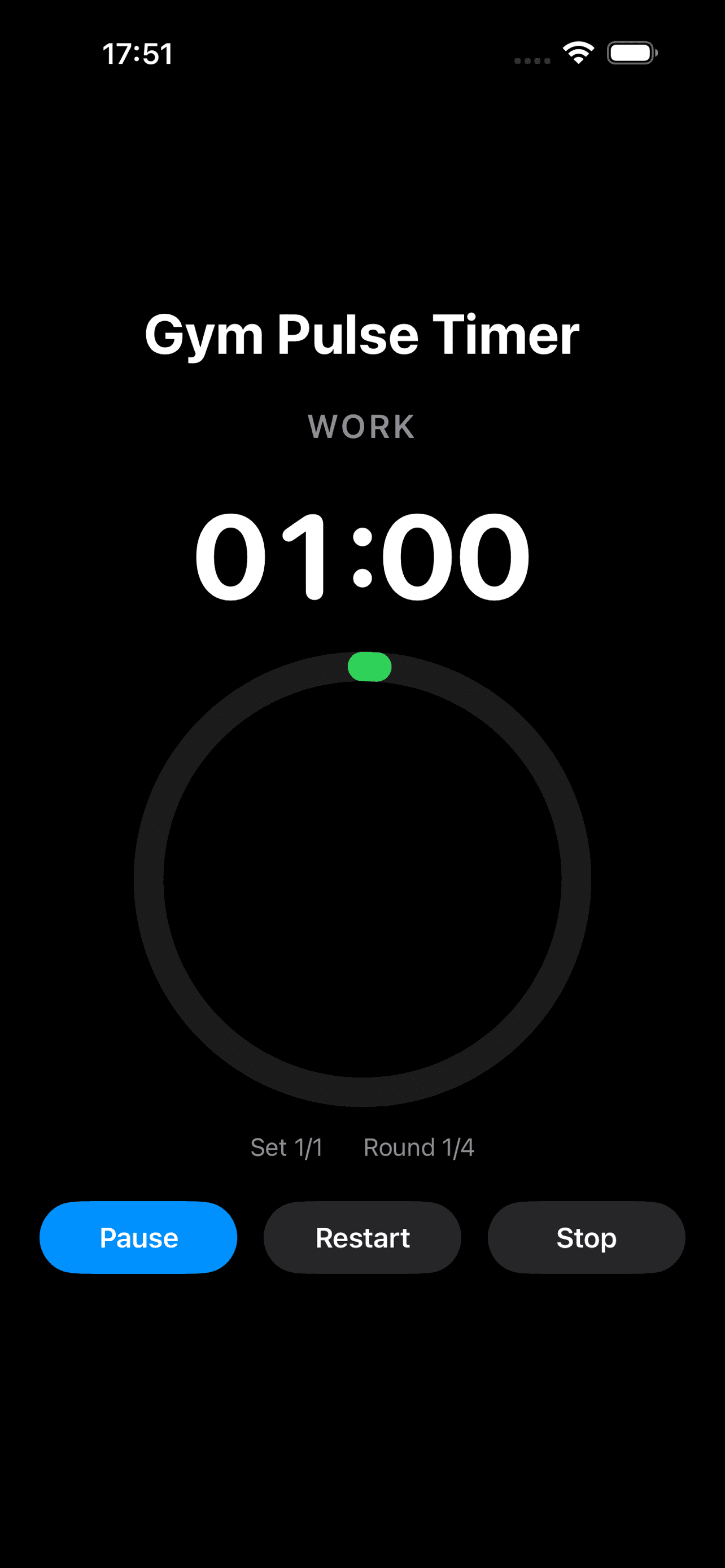
Configure Get Ready, Work, Rest, Sets, and Rounds with intuitive wheel pickers. Save and reuse your favorite workouts.
Big Timer Ring
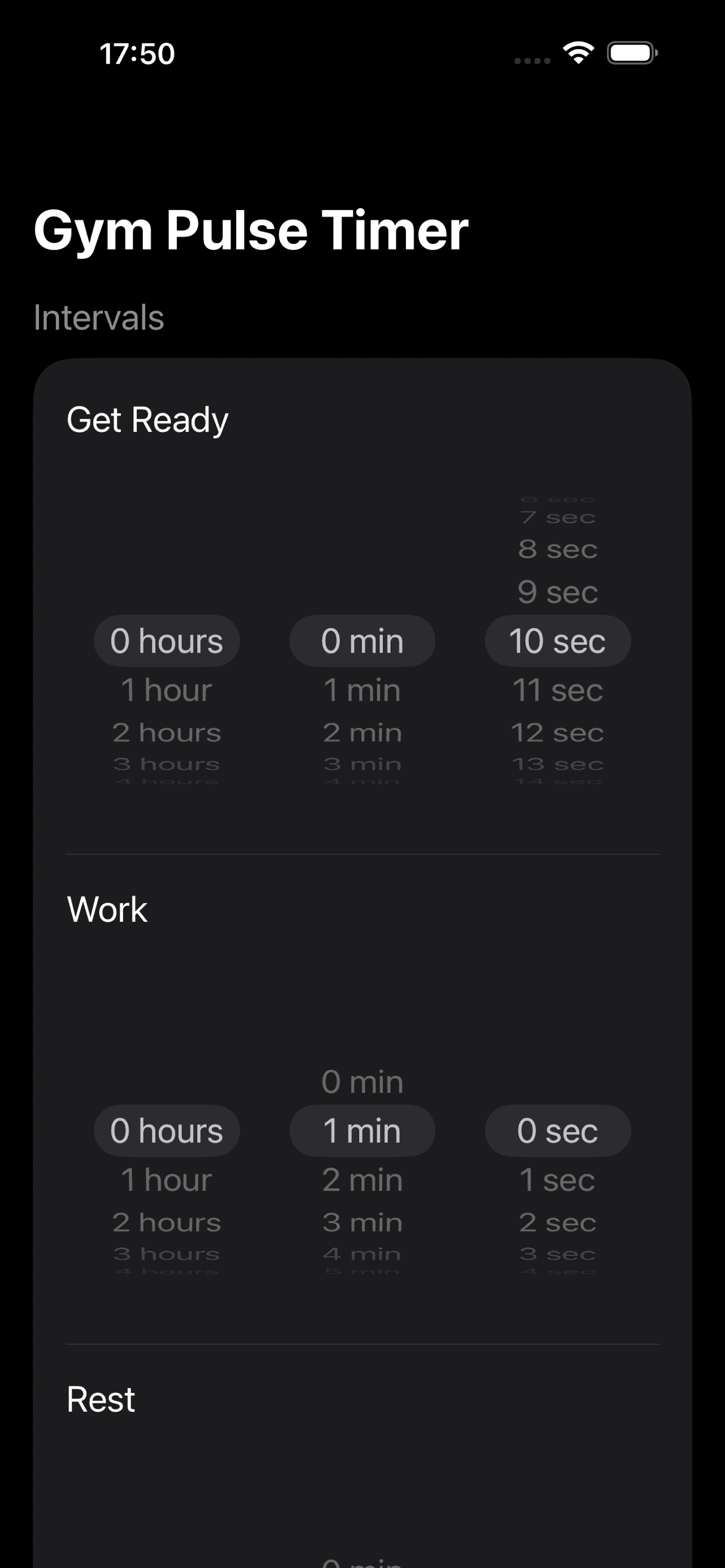
Large circular progress ring with bold countdown — easy to read mid-workout, across the room, or at a glance.
Audio & Voice Cues
Beeps on transitions, voice prompts for "Work", "Rest", and "Complete", plus a 3-2-1 countdown. Pro only.
Live Activities
Track your countdown on the Lock Screen and Dynamic Island. Never miss a transition, even with your phone locked.
Apple Watch
Run workouts from your wrist with haptic feedback, HealthKit tracking, and Always-On Display.
Home Screen Widget
See your timer at a glance with the branded Home Screen widget.
How It Works
Three steps. Zero complexity.
Create
Set up your intervals with wheel pickers — Get Ready, Work, Rest, Sets, and Rounds. Save it as a preset.
Train
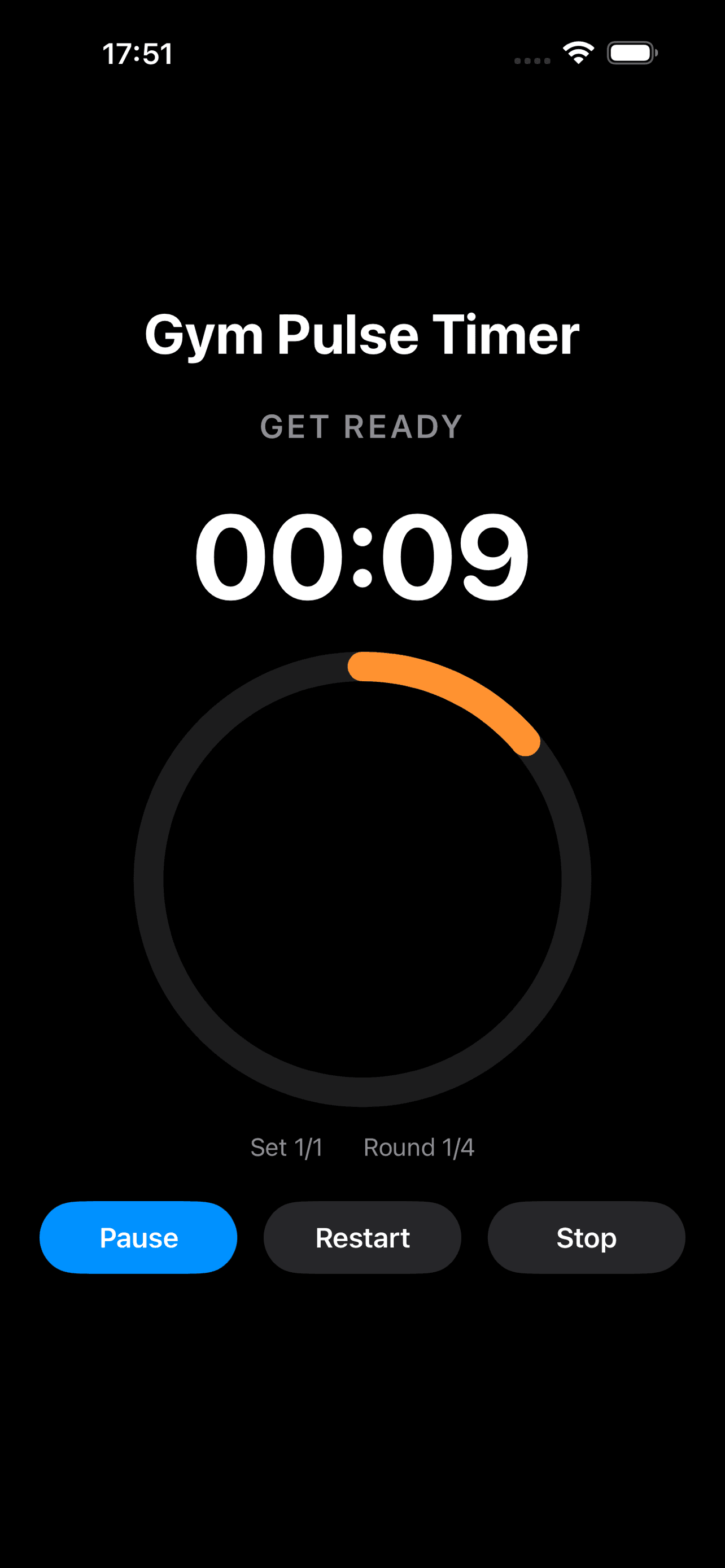
Hit start and follow the big ring timer. Audio beeps and voice cues keep you on track through every phase.
Track
Lock your phone and keep going. Live Activities show your countdown on the Lock Screen and Dynamic Island.
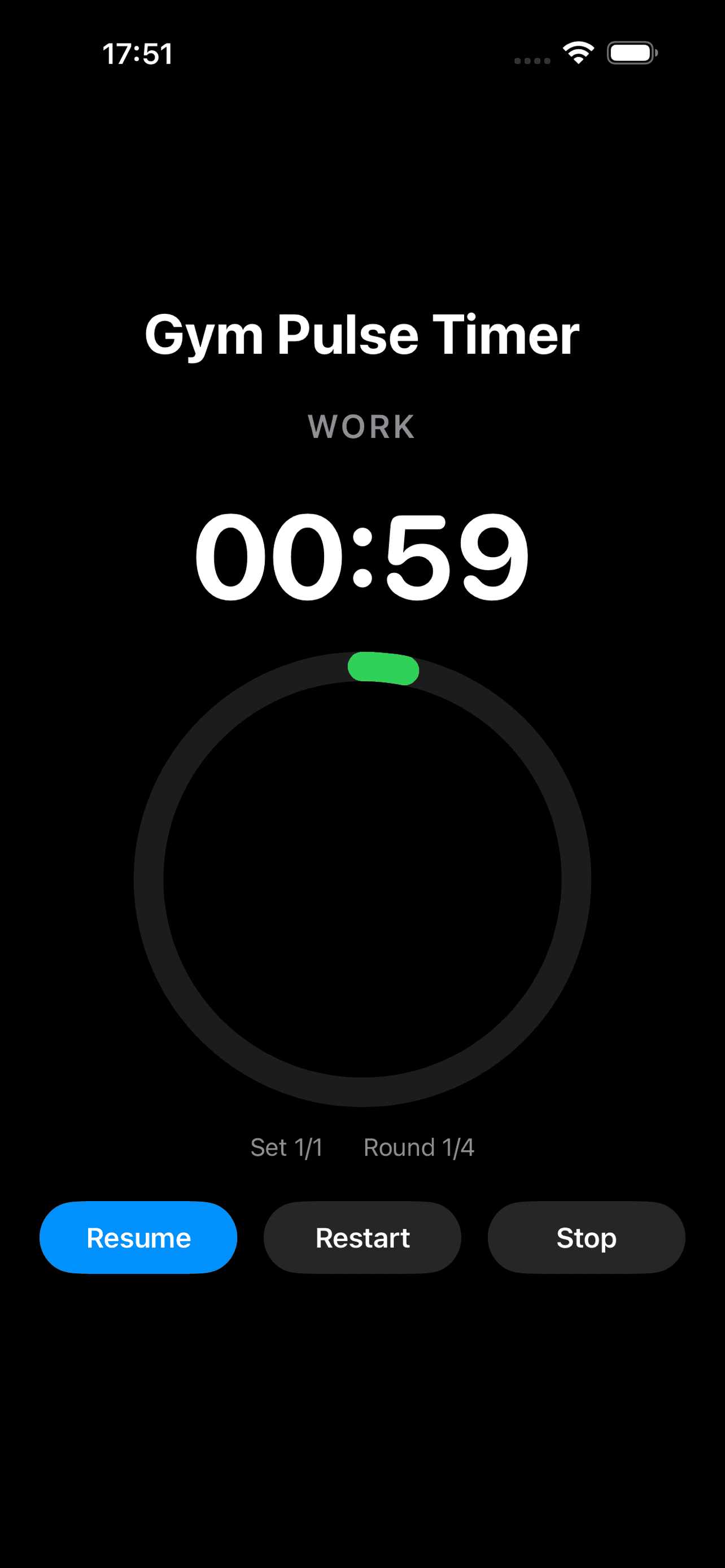
Now on Your Wrist
Run HIIT workouts from Apple Watch — no phone needed.
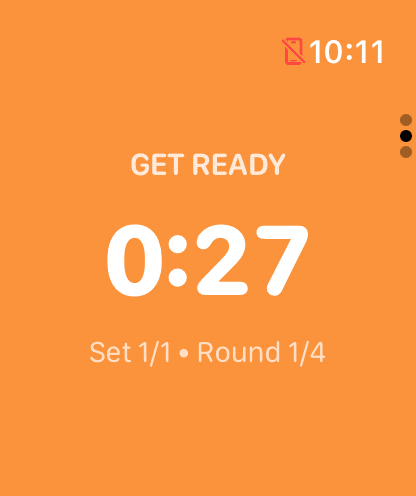
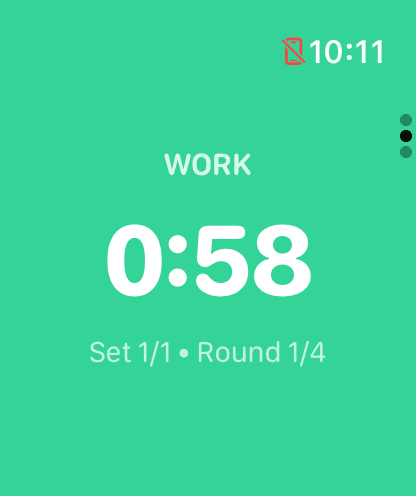
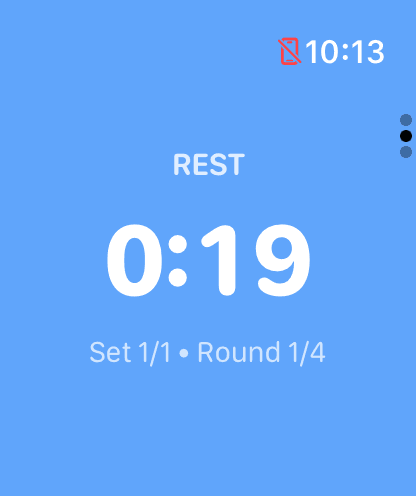
Wrist-Ready Timer
Phase-colored ring shows your countdown at a glance.
HealthKit Tracking
Heart rate and calories logged automatically.
Haptic Feedback
Distinct taps on every phase transition.
Preset Sync
Your presets sync automatically from iPhone.
Always-On Display
Timer stays visible when your wrist drops.
Works Independently
Run workouts without your iPhone nearby.
Free to Start. Pro to Dominate.
One-time purchase. No subscriptions. No ads. Ever.
Free
- 1 custom preset (1 Set)
- Big timer ring UI
- Pause, resume, restart
- Live Activities
- Home screen widget
- Apple Watch companion
- Light, Dark & System themes
Pro
- Unlimited presets & Sets
- Audio beep cues
- Voice coaching prompts
- 3-2-1 countdown alerts
- Everything in Free
Ready to Train?
Download GymPulseTimer and start building your perfect interval workouts today.
Privacy Policy
Effective Date: February 2025
GymPulseTimer (“the App”) is developed by Daniel Ancuta. Your privacy is important to us. This policy explains what data the App collects and how it is used.
Data We Do NOT Collect
- No personal information (name, email, phone number)
- No location data
- No health or fitness data
- No login or account information
- No advertising identifiers
Anonymous Analytics
The App uses TelemetryDeck to collect anonymous, aggregated usage signals (e.g., app launched, workout started, workout completed). TelemetryDeck does not collect personally identifiable information (PII), does not use cookies, and is fully GDPR and CCPA compliant. No data is shared with third parties for advertising purposes.
In-App Purchases
The App offers a one-time in-app purchase (“GymPulse Pro”) processed through Apple’s App Store. Purchase validation and entitlement management are handled by RevenueCat. RevenueCat receives only the purchase receipt from Apple — no personal data is collected or stored. See RevenueCat’s Privacy Policy for details.
Local Data Storage
Timer presets and app preferences are stored locally on your device. No data is synced to the cloud or transmitted over the network.
Third-Party Services
- TelemetryDeck — anonymous analytics (no PII)
- RevenueCat — purchase receipt validation (no PII)
- Apple App Store — in-app purchase processing
Children’s Privacy
The App does not knowingly collect data from children under 13. The App is rated 4+ and contains no objectionable content.
Changes to This Policy
We may update this Privacy Policy from time to time. Changes will be posted on this page with an updated effective date.
Contact
If you have questions about this Privacy Policy, please contact us at support@gympulsetimer.com.
Support
Have a question or found a bug? Check the FAQ below or reach out directly.
Is GymPulseTimer really free?
Yes! The free version includes one custom preset (limited to 1 Set), the big timer ring, pause/resume/restart, Live Activities, and a Home Screen widget. Pro unlocks unlimited presets and Sets, plus all audio and voice features for a one-time purchase.
Does the timer work on the Lock Screen?
Absolutely. GymPulseTimer uses iOS Live Activities to display your countdown on the Lock Screen and Dynamic Island so you never miss a phase transition.
What audio cues does Pro include?
Pro adds beep cues on every transition, voice prompts for "Work", "Rest", and "Complete", plus a 3-2-1 countdown before each phase change.
Is there a subscription?
No. GymPulse Pro is a one-time purchase — pay once and you own it forever. No recurring charges, no ads.
Does the app collect my data?
GymPulseTimer collects zero personal data. Anonymous analytics are handled by TelemetryDeck (no PII, fully GDPR/CCPA compliant). See our Privacy Policy for details.
Does GymPulseTimer work on Apple Watch?
Yes! Starting with version 1.3, GymPulseTimer includes a companion Apple Watch app. It features a phase-colored timer ring, haptic feedback on transitions, HealthKit tracking (heart rate & calories), preset sync from iPhone, and Always-On Display support. Requires watchOS 10 or later.
Do I need my iPhone to use the Watch app?
No. After your presets sync from iPhone, the Apple Watch app works completely independently — leave your phone in the locker and run your workout from your wrist.
Which devices are supported?
GymPulseTimer requires iOS 17.0 or later. The Apple Watch companion app requires watchOS 10 or later. Live Activities and Dynamic Island features require compatible hardware.
Still Need Help?
Send us a message and we’ll get back to you as soon as possible.